Start Trading with EASY Bots Free Demo
Complete 4 simple steps, install MT5, add the trading robot, and start trading. No credit card required.
1Step 1 — Register via our partner link
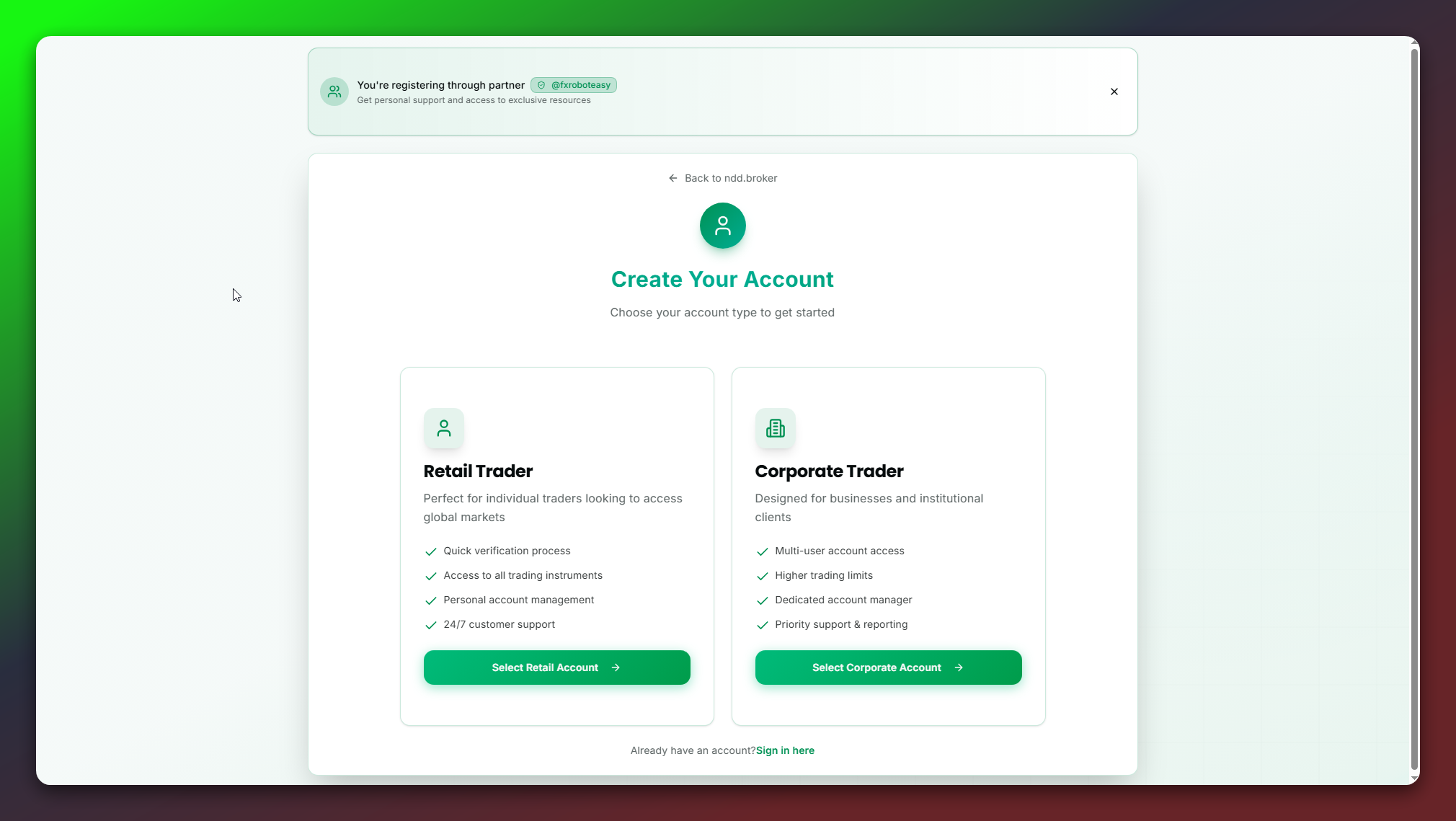
Click the button below. In the broker's form select your user type: "Retail" (for individuals) or "Corporate" (for companies).
Make sure you see the confirmation on the broker page: "You're registering through partner @fxroboteasy. Get personal support and access to exclusive resources."
If you don't see the partner confirmation, come back and press "Open partner link again."
What it looks like:
Click to enlarge
You're registering through @fxroboteasy partner link
Click the button below to open the registration page
Why is this free?
FxRobotEasy is an Introducing Broker for ndd.broker — a standard, decades-old industry arrangement. When you register through our partner link, the broker shares a small part of its normal trading commission (about $1 per lot) with us. That's what funds your free license, our servers, and support — you pay us nothing.
- Your money stays with the broker. We never touch your funds or your platform password.
- Your trading costs are exactly the same as opening an account directly — the spread and commission don't change.
- NDD/STP execution: the broker earns from spreads and commissions, not from your losses — so our interests are aligned with yours.
Screenshot caption:
Where to choose Retail/Corporate and where the partner confirmation appears.
Risk Disclosure
Trading leveraged products such as CFDs or FX involves a high level of risk and may not be suitable for all investors. You can lose all or more than your initial investment. Past performance is not indicative of future results.
No Investment Advice
The information on this page is provided for educational purposes only and does not constitute investment advice or a solicitation to engage in any investment activity.
Third-Party Broker Disclaimer
Account opening and trading services are provided by an independent third-party broker. We do not control and are not responsible for their KYC, execution, platform stability, or any service decisions.
Partner Relationship
By using our partner link, you allow us to provide you with support and educational resources. We do not receive access to your funds or trading platform credentials.
Data and Privacy
When you submit your account number and email, we store them to activate your partner benefits and provide support. See our Privacy Policy for details on data retention and processing.
EA Usage
EAs are provided "as is" without warranties of profitability or performance. You remain fully responsible for your trading decisions and risk management.